


Morpheus
Administrators-
Content count
603 -
Joined
-
Last visited
-
Days Won
101
Files posted by Morpheus
-
By Morpheus in WinSnort Auto-Installers for the WinIDS
===============================================================================
WinIDS v3.0 Deployment Framework - Remote Node Install Guide
Copyright © 2026 WinSnort.com | Michael Steele
===============================================================================
OPERATIONAL OVERVIEW
This toolkit provides the automated framework required for the deployment of a
WinIDS Remote Node. This architecture facilitates decentralized packet
inspection with centralized database logging.
ARCHITECTURAL PREREQUISITES
* Active Instance : A functional Standalone WinIDS Sensor is required. * Node Conversion : This process will upgrade a Standalone Sensor instance to a Master Management Server role. -------------------------------------------------------------------------------
PHASE I: PRE-DEPLOYMENT SPECIFICATIONS
-------------------------------------------------------------------------------
* Archive Integrity : Extract all package contents to a dedicated directory. * Archive Security : w1nsn03t.c0m -------------------------------------------------------------------------------
PHASE II: MASTER SERVER PROVISIONING
-------------------------------------------------------------------------------
The Master Management Server must be configured to authorize inbound database
traffic before the remote Node initialization.
On the Master Host open the tools\InitializeNode.ps1 file with Notepad and
configure the following critical remote Node IP address:
$RemoteIP = "" # IP of the Remote Node (e.g., 0.0.0.0/32) # Don't forget the CIDR (/xx) at the end of the IP. Ensure all changes are saved prior to executing.
Execute via an Administrative PowerShell session:
> powershell -ExecutionPolicy Bypass -File "InitializeNode.ps1"
TECHNICAL IMPACT: This script automates Windows Firewall scoping and handles
any remote database user permissions for the specified $RemoteIP.
-------------------------------------------------------------------------------
PHASE III: CONNECTIVITY & VALIDATION
-------------------------------------------------------------------------------
This will verify the connection from the Node sensor to the Master host and
verify which database it is connecting to.
In the TempDir folder on the remote Node open the Node2Host.ps1 file with Notepad
and configure the following critical Master host IP address and Master host
Database port:
$MasterHostIP = "" # Master Host IP (e.g., 0.0.0.0) $MasterHostDBPort = "" # Leave blank to trigger Auto-Detect typical ports Ensure all changes are saved prior to executing.
Execute via Administrative PowerShell:
> powershell -ExecutionPolicy Bypass -NoExit -File "Node2Host.ps1"
MANDATORY: Connection verification is a hard requirement. Do not proceed to
Phase IV if the handshake fails.
Note: Record the Master Host IP address and Port as it will be needed in Phase IV
-------------------------------------------------------------------------------
PHASE IV: REMOTE SENSOR DEPLOYMENT
-------------------------------------------------------------------------------
From the Remote Node define the operational environment within 'config.conf'
using Notepad editor. Configure the following critical variables:
$TempDir = "" # Directory for temporary installation and download files (e.g., "D:\files") $WinIDSRoot = "" # The primary home directory for the WinIDS installation (e.g., "D:\home") $Oinkcode = "" # Your 40-character Snort.org Oinkcode; required for automated rule updates $SensorName = "" # Unique Node Sensor name (e.g., "NodeName") $EnableAllRules = $true # Set to $false to disable rule testing and high-volume event logging $EnableRestorePoint = $true # Set to $false to skip System Restore point creation (Workstation only) $SnortUser = "snort" # Master Host ALERT Database HOST Username $SnortPass = "l0gg3r" # Master Host ALERT Database HOST Password $MasterHostIP = "" # IP of the Master Host (e.g., "x.x.x.x") $MasterHostPort = "" # Database Port on the Master Hast (e.g., "xxxx") Ensure all changes are saved prior to executing.
Right-click 'Installer.exe' and select "Run as Administrator."
SECURITY RECOMMENDATIONS
The Username and password values above are factory defaults and must match the
SnortUser and SnortPass of the Master Host sensor.
DEPLOYMENT DURATION ESTIMATES
Completion times vary based on the selected database engine and host operating
system. The following estimates are based on standard network throughput and
hardware resource availability. Workstation or Server deployments generally
complete in ~15 minutes. Deployment performance is directly influenced by available
system resources and network bandwidth.
RECOVERY AND RESILIENCY LOGIC
The WinIDS framework is designed with automated resume capability. In the event of
a package acquisition failure, you should manually download the required asset to
your defined $TempDir and re-initialize the installer. The framework will automatically
detect the local file and resume the deployment. Do not terminate the installer during
active system modifications or registry updates to prevent system corruption.
SYSTEM RESTORE OPERATIONS
Automated Restore Point Creation:
For workstation environments, a System Restore point is automatically generated at the
commencement of the installation process. To maintain system integrity and avoid redundancy,
the installer will automatically bypass this step if a valid restore point from a previous
session is detected.
Recovery Procedures:
In the event of a critical installation failure, system recovery can be initiated using
the Restore Point Recovery Utility located in the \Tools directory. Post-installation
recovery options are also accessible via the WinSnort group folder within the Start Menu.
For user convenience, this group is pinned to the Windows "Recommended" list.
Environmental Constraints & Best Practices:
Server Deployments: Since Windows Server architectures do not natively support System
Restore points, this feature is automatically disabled during Server OS deployments.
Data Integrity:
The System Restore feature is intended for configuration recovery only
and is not a replacement for a comprehensive backup solution. Restore points are
transient and will be purged during routine Windows maintenance cycles.
-------------------------------------------------------------------------------
PHASE V: POST-DEPLOYMENT MANAGEMENT
-------------------------------------------------------------------------------
Upon successful completion, the WinIDS Management Suite will be accessible
via Start Menu > WinSnort. Core utilities include:
* Rules Updater : PulledPork-driven rule-set synchronization. * System Restore : System Restore Point (SRP) Utility (Workstation Only). Although a system reboot is not strictly mandatory, it is recommended to ensure
all environment variables are refreshed. Please note that the WinSnort Start Menu
group may not appear in the Start Menu until a system restart has been completed.
-------------------------------------------------------------------------------
PHASE VI: POST-DEPLOYMENT VERIFICATION
-------------------------------------------------------------------------------
Management Server Validation:
1. Launch the WinIDS Console on the Master Management Server.
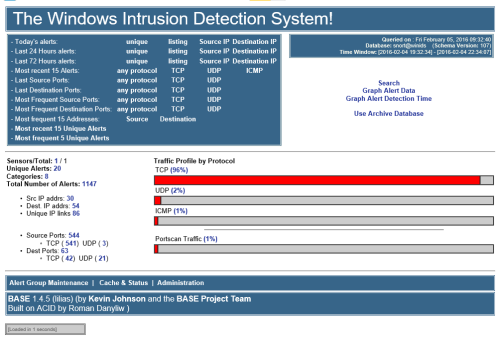
2. Monitor the "Sensors/Total" telemetry indicator.
3. A successful link displays "2/2" (or greater). Verify that "$SensorName"
is actively reporting logs to the centralized dashboard.
===============================================================================
TECHNICAL DOCUMENTATION & SUPPORT: http://winsnort.com
===============================================================================
1 download
Updated
-
By Morpheus in WinSnort Auto-Installers for the WinIDS
===============================================================================
WinIDS v3.0 Deployment Framework - Standalone Sensor Install Guide
Copyright © 2026 WinSnort.com | Michael Steele
===============================================================================
OPERATIONAL OVERVIEW
This package contains a specialized deployment framework for the Windows
Intrusion Detection System (WinIDS). It is engineered for high-performance
installations on Windows 10/11 and Windows Server (2016-2025) 64-bit.
-------------------------------------------------------------------------------
PHASE I: PRE-DEPLOYMENT SPECIFICATIONS
-------------------------------------------------------------------------------
* Target Environment : Optimized for clean OS installations. * Archive Integrity : Extract all package contents to a dedicated directory. * Archive Security : w1nsn03t.c0m -------------------------------------------------------------------------------
PHASE II: PARAMETER CONFIGURATION
-------------------------------------------------------------------------------
Before execution, define the operational environment within 'config.conf'
using Notepad editor. Configure the following critical variables:
$TempDir = "" # Directory for temporary installation and download files (e.g., "D:\files") $WinIDSRoot = "" # The primary home directory for the WinIDS installation (e.g., "D:\home") $Oinkcode = "" # Your 40-character Snort.org Oinkcode; required for automated rule updates $UseIPv6 = $false # Change to $true to strictly lock to IPv6 $EnableAllRules = $true # Set to $false to disable rule testing and high-volume event logging $EnableRestorePoint = $true # Set to $false to skip System Restore point creation (Workstation only) $SnortUser = "snort" # Master Host ALERT Database Username $SnortPass = "l0gg3r" # Master Host ALERT Database Password $RootUser = "root" # Master Host (Root) MySQL/PostgreSQL Database Username $RootPass = "d1ngd0ng" # Master Host (Root) MySQL/PostgreSQL Database Password SECURITY RECOMMENDATIONS
The Username and password values above are factory defaults. For production
environments, it is strongly advised to update these credentials to enhance
network security.
DATABASE Roles
The SnortUser/Pass credentials are used by Barnyard2 to authenticate with the
ALERT database. These credentials also facilitate the connection between remote
nodes and the Master Host across the LAN/WAN.
The RootUser/Pass credentials are administrative and used for command-line database
management post-installation.
DOCUMENTATION
Use caution when modifying default settings. Ensure all changes are recorded for
future administrative reference.
INITIALIZATION
Verify that all modifications are saved in config.conf prior to starting the
installation.
-------------------------------------------------------------------------------
PHASE III: EXECUTION & INITIALIZATION
-------------------------------------------------------------------------------
Access the local extraction directory.
Right-click 'Installer.exe' and select "Run as Administrator."
DEPLOYMENT DURATION ESTIMATES
Completion times vary based on the selected database engine and host operating
system. The following estimates are based on standard network throughput and
hardware resource availability. For workstation deployments, MySQL typically
completes in approximately 10 minutes, whereas PostgreSQL may require up to 45
minutes. Server deployments generally complete in 60 minutes, regardless of the
database selected. Deployment performance is directly influenced by available
system resources and network bandwidth.
RECOVERY AND RESILIENCY LOGIC
The WinIDS framework is designed with automated resume capability. In the event of
a package acquisition failure, you should manually download the required asset to
your defined $TempDir and re-initialize the installer. The framework will automatically
detect the local file and resume the deployment. Do not terminate the installer during
active system modifications or registry updates to prevent system corruption.
SYSTEM RESTORE OPERATIONS
Automated Restore Point Creation:
For workstation environments, a System Restore point is automatically generated at the
commencement of the installation process. To maintain system integrity and avoid redundancy,
the installer will automatically bypass this step if a valid restore point from a previous
session is detected.
Recovery Procedures:
In the event of a critical installation failure, system recovery can be initiated using
the Restore Point Recovery Utility located in the \Tools directory. Post-installation
recovery options are also accessible via the WinSnort group folder within the Start Menu.
For user convenience, this group is pinned to the Windows "Recommended" list.
Environmental Constraints & Best Practices:
Server Deployments: Since Windows Server architectures do not natively support System
Restore points, this feature is automatically disabled during Server OS deployments.
Data Integrity:
The System Restore feature is intended for configuration recovery only
and is not a replacement for a comprehensive backup solution. Restore points are
transient and will be purged during routine Windows maintenance cycles.
-------------------------------------------------------------------------------
PHASE IV: POST-DEPLOYMENT MANAGEMENT
-------------------------------------------------------------------------------
Upon successful completion, the WinIDS Management Suite will be accessible
via Start Menu > WinSnort. Core utilities include:
* WinIDS Console : Real-time telemetry, event monitoring, and analysis. * Rules Updater : PulledPork-driven rule-set synchronization. * System Restore : System Restore Point (SRP) Utility (Workstation Only). * Database Utility : Database maintenance utility. Although a system reboot is not strictly mandatory, it is recommended to ensure
all environment variables are refreshed. Please note that the WinSnort Start Menu
group may not appear in the Start Menu until a system restart has been completed.
===============================================================================
TECHNICAL DOCUMENTATION & SUPPORT: http://winsnort.com
===============================================================================
0 downloads
Updated
-
By Morpheus in WinSnort Auto-Installers for the WinIDS
===============================================================================
WinIDS v3.0 Deployment Framework - Standalone Sensor Install Guide
Copyright © 2026 WinSnort.com | Michael Steele
===============================================================================
OPERATIONAL OVERVIEW
This package contains a specialized deployment framework for the Windows
Intrusion Detection System (WinIDS). It is engineered for high-performance
installations on Windows 10/11 and Windows Server (2016-2025) 64-bit.
-------------------------------------------------------------------------------
PHASE I: PRE-DEPLOYMENT SPECIFICATIONS
-------------------------------------------------------------------------------
* Target Environment : Optimized for clean OS installations. * Archive Integrity : Extract all package contents to a dedicated directory. * Archive Security : w1nsn03t.c0m -------------------------------------------------------------------------------
PHASE II: PARAMETER CONFIGURATION
-------------------------------------------------------------------------------
Before execution, define the operational environment within 'config.conf'
using Notepad editor. Configure the following critical variables:
$TempDir = "" # Directory for temporary installation and download files (e.g., "D:\files") $WinIDSRoot = "" # The primary home directory for the WinIDS installation (e.g., "D:\home") $Oinkcode = "" # Your 40-character Snort.org Oinkcode; required for automated rule updates $SensorName = "" # Unique Node Sensor name (e.g., "NodeName") $EnableAllRules = $true # Set to $false to disable rule testing and high-volume event logging $EnableRestorePoint = $true # Set to $false to skip System Restore point creation (Workstation only) $SnortUser = "snort" # Master Host ALERT Database Username $SnortPass = "l0gg3r" # Master Host ALERT Database Password $RootUser = "root" # Master Host (Root) MySQL/PostgreSQL Database Username $RootPass = "d1ngd0ng" # Master Host (Root) MySQL/PostgreSQL Database Password SECURITY RECOMMENDATIONS
The Username and password values above are factory defaults. For production
environments, it is strongly advised to update these credentials to enhance
network security.
DATABASE Roles
The SnortUser/Pass credentials are used by Barnyard2 to authenticate with the
ALERT database. These credentials also facilitate the connection between remote
nodes and the Master Host across the LAN/WAN.
The RootUser/Pass credentials are administrative and used for command-line database
management post-installation.
DOCUMENTATION
Use caution when modifying default settings. Ensure all changes are recorded for
future administrative reference.
INITIALIZATION
Verify that all modifications are saved in config.conf prior to starting the
installation.
-------------------------------------------------------------------------------
PHASE III: EXECUTION & INITIALIZATION
-------------------------------------------------------------------------------
Access the local extraction directory.
Right-click 'Installer.exe' and select "Run as Administrator."
DEPLOYMENT DURATION ESTIMATES
Completion times vary based on the selected database engine and host operating
system. The following estimates are based on standard network throughput and
hardware resource availability. For workstation deployments, MySQL typically
completes in approximately 10 minutes, whereas PostgreSQL may require up to 45
minutes. Server deployments generally complete in 60 minutes, regardless of the
database selected. Deployment performance is directly influenced by available
system resources and network bandwidth.
RECOVERY AND RESILIENCY LOGIC
The WinIDS framework is designed with automated resume capability. In the event of
a package acquisition failure, you should manually download the required asset to
your defined $TempDir and re-initialize the installer. The framework will automatically
detect the local file and resume the deployment. Do not terminate the installer during
active system modifications or registry updates to prevent system corruption.
SYSTEM RESTORE OPERATIONS
Automated Restore Point Creation:
For workstation environments, a System Restore point is automatically generated at the
commencement of the installation process. To maintain system integrity and avoid redundancy,
the installer will automatically bypass this step if a valid restore point from a previous
session is detected.
Recovery Procedures:
In the event of a critical installation failure, system recovery can be initiated using
the Restore Point Recovery Utility located in the \Tools directory. Post-installation
recovery options are also accessible via the WinSnort group folder within the Start Menu.
For user convenience, this group is pinned to the Windows "Recommended" list.
Environmental Constraints & Best Practices:
Server Deployments: Since Windows Server architectures do not natively support System
Restore points, this feature is automatically disabled during Server OS deployments.
Data Integrity:
The System Restore feature is intended for configuration recovery only
and is not a replacement for a comprehensive backup solution. Restore points are
transient and will be purged during routine Windows maintenance cycles.
-------------------------------------------------------------------------------
PHASE IV: POST-DEPLOYMENT MANAGEMENT
-------------------------------------------------------------------------------
Upon successful completion, the WinIDS Management Suite will be accessible
via Start Menu > WinSnort. Core utilities include:
* WinIDS Console : Real-time telemetry, event monitoring, and analysis. * Rules Updater : PulledPork-driven rule-set synchronization. * System Restore : System Restore Point (SRP) Utility (Workstation Only). * Database Utility : Database maintenance utility. Although a system reboot is not strictly mandatory, it is recommended to ensure
all environment variables are refreshed. Please note that the WinSnort Start Menu
group may not appear in the Start Menu until a system restart has been completed.
===============================================================================
TECHNICAL DOCUMENTATION & SUPPORT: http://winsnort.com
===============================================================================
2 downloads
Updated
-
By Morpheus in WinSnort Auto-Installers for the WinIDS
===============================================================================
WinIDS v3.0 Deployment Framework - Standalone Sensor Install Guide
Copyright © 2026 WinSnort.com | Michael Steele
===============================================================================
OPERATIONAL OVERVIEW
This package contains a specialized deployment framework for the Windows
Intrusion Detection System (WinIDS). It is engineered for high-performance
installations on Windows 10/11 and Windows Server (2016-2025) 64-bit.
-------------------------------------------------------------------------------
PHASE I: PRE-DEPLOYMENT SPECIFICATIONS
-------------------------------------------------------------------------------
* Target Environment : Optimized for clean OS installations. * Archive Integrity : Extract all package contents to a dedicated directory. * Archive Security : w1nsn03t.c0m -------------------------------------------------------------------------------
PHASE II: PARAMETER CONFIGURATION
-------------------------------------------------------------------------------
Before execution, define the operational environment within 'config.conf'
using Notepad editor. Configure the following critical variables:
$TempDir = "" # Directory for temporary installation and download files (e.g., "D:\files") $WinIDSRoot = "" # The primary home directory for the WinIDS installation (e.g., "D:\home") $Oinkcode = "" # Your 40-character Snort.org Oinkcode; required for automated rule updates $SensorName = "" # Unique Node Sensor name (e.g., "NodeName") $EnableAllRules = $true # Set to $false to disable rule testing and high-volume event logging $EnableRestorePoint = $true # Set to $false to skip System Restore point creation (Workstation only) $SnortUser = "snort" # Master Host ALERT Database Username $SnortPass = "l0gg3r" # Master Host ALERT Database Password $RootUser = "root" # Master Host (Root) MySQL/PostgreSQL Database Username $RootPass = "d1ngd0ng" # Master Host (Root) MySQL/PostgreSQL Database Password SECURITY RECOMMENDATIONS
The Username and password values above are factory defaults. For production
environments, it is strongly advised to update these credentials to enhance
network security.
DATABASE Roles
The SnortUser/Pass credentials are used by Barnyard2 to authenticate with the
ALERT database. These credentials also facilitate the connection between remote
nodes and the Master Host across the LAN/WAN.
The RootUser/Pass credentials are administrative and used for command-line database
management post-installation.
DOCUMENTATION
Use caution when modifying default settings. Ensure all changes are recorded for
future administrative reference.
INITIALIZATION
Verify that all modifications are saved in config.conf prior to starting the
installation.
-------------------------------------------------------------------------------
PHASE III: EXECUTION & INITIALIZATION
-------------------------------------------------------------------------------
Access the local extraction directory.
Right-click 'Installer.exe' and select "Run as Administrator."
DEPLOYMENT DURATION ESTIMATES
Completion times vary based on the selected database engine and host operating
system. The following estimates are based on standard network throughput and
hardware resource availability. For workstation deployments, MySQL typically
completes in approximately 10 minutes, whereas PostgreSQL may require up to 45
minutes. Server deployments generally complete in 60 minutes, regardless of the
database selected. Deployment performance is directly influenced by available
system resources and network bandwidth.
RECOVERY AND RESILIENCY LOGIC
The WinIDS framework is designed with automated resume capability. In the event of
a package acquisition failure, you should manually download the required asset to
your defined $TempDir and re-initialize the installer. The framework will automatically
detect the local file and resume the deployment. Do not terminate the installer during
active system modifications or registry updates to prevent system corruption.
SYSTEM RESTORE OPERATIONS
Automated Restore Point Creation:
For workstation environments, a System Restore point is automatically generated at the
commencement of the installation process. To maintain system integrity and avoid redundancy,
the installer will automatically bypass this step if a valid restore point from a previous
session is detected.
Recovery Procedures:
In the event of a critical installation failure, system recovery can be initiated using
the Restore Point Recovery Utility located in the \Tools directory. Post-installation
recovery options are also accessible via the WinSnort group folder within the Start Menu.
For user convenience, this group is pinned to the Windows "Recommended" list.
Environmental Constraints & Best Practices:
Server Deployments: Since Windows Server architectures do not natively support System
Restore points, this feature is automatically disabled during Server OS deployments.
Data Integrity:
The System Restore feature is intended for configuration recovery only
and is not a replacement for a comprehensive backup solution. Restore points are
transient and will be purged during routine Windows maintenance cycles.
-------------------------------------------------------------------------------
PHASE IV: POST-DEPLOYMENT MANAGEMENT
-------------------------------------------------------------------------------
Upon successful completion, the WinIDS Management Suite will be accessible
via Start Menu > WinSnort. Core utilities include:
* WinIDS Console : Real-time telemetry, event monitoring, and analysis. * Rules Updater : PulledPork-driven rule-set synchronization. * System Restore : System Restore Point (SRP) Utility (Workstation Only). * Database Utility : Database maintenance utility. Although a system reboot is not strictly mandatory, it is recommended to ensure
all environment variables are refreshed. Please note that the WinSnort Start Menu
group may not appear in the Start Menu until a system restart has been completed.
===============================================================================
TECHNICAL DOCUMENTATION & SUPPORT: http://winsnort.com
===============================================================================
3 downloads
Updated
-
By Morpheus in WinSnort Auto-Installers for the WinIDS
===============================================================================
WinIDS v3.0 Deployment Framework - Standalone Sensor Install Guide
Copyright © 2026 WinSnort.com | Michael Steele
===============================================================================
OPERATIONAL OVERVIEW
This package contains a specialized deployment framework for the Windows
Intrusion Detection System (WinIDS). It is engineered for high-performance
installations on Windows 10/11 and Windows Server (2016-2025) 64-bit.
-------------------------------------------------------------------------------
PHASE I: PRE-DEPLOYMENT SPECIFICATIONS
-------------------------------------------------------------------------------
* Target Environment : Optimized for clean OS installations. * Archive Integrity : Extract all package contents to a dedicated directory. * Archive Security : w1nsn03t.c0m -------------------------------------------------------------------------------
PHASE II: PARAMETER CONFIGURATION
-------------------------------------------------------------------------------
Before execution, define the operational environment within 'config.conf'
using Notepad editor. Configure the following critical variables:
$TempDir = "" # Directory for temporary installation and download files (e.g., "D:\files") $WinIDSRoot = "" # The primary home directory for the WinIDS installation (e.g., "D:\home") $Oinkcode = "" # Your 40-character Snort.org Oinkcode; required for automated rule updates $SensorName = "" # Unique Node Sensor name (e.g., "NodeName") $EnableAllRules = $true # Set to $false to disable rule testing and high-volume event logging $EnableRestorePoint = $true # Set to $false to skip System Restore point creation (Workstation only) $SnortUser = "snort" # Master Host ALERT Database Username $SnortPass = "l0gg3r" # Master Host ALERT Database Password $RootUser = "root" # Master Host (Root) MySQL/PostgreSQL Database Username $RootPass = "d1ngd0ng" # Master Host (Root) MySQL/PostgreSQL Database Password SECURITY RECOMMENDATIONS
The Username and password values above are factory defaults. For production
environments, it is strongly advised to update these credentials to enhance
network security.
DATABASE Roles
The SnortUser/Pass credentials are used by Barnyard2 to authenticate with the
ALERT database. These credentials also facilitate the connection between remote
nodes and the Master Host across the LAN/WAN.
The RootUser/Pass credentials are administrative and used for command-line database
management post-installation.
DOCUMENTATION
Use caution when modifying default settings. Ensure all changes are recorded for
future administrative reference.
INITIALIZATION
Verify that all modifications are saved in config.conf prior to starting the
installation.
-------------------------------------------------------------------------------
PHASE III: EXECUTION & INITIALIZATION
-------------------------------------------------------------------------------
Access the local extraction directory.
Right-click 'Installer.exe' and select "Run as Administrator."
DEPLOYMENT DURATION ESTIMATES
Completion times vary based on the selected database engine and host operating
system. The following estimates are based on standard network throughput and
hardware resource availability. For workstation deployments, MySQL typically
completes in approximately 10 minutes, whereas PostgreSQL may require up to 45
minutes. Server deployments generally complete in 60 minutes, regardless of the
database selected. Deployment performance is directly influenced by available
system resources and network bandwidth.
RECOVERY AND RESILIENCY LOGIC
The WinIDS framework is designed with automated resume capability. In the event of
a package acquisition failure, you should manually download the required asset to
your defined $TempDir and re-initialize the installer. The framework will automatically
detect the local file and resume the deployment. Do not terminate the installer during
active system modifications or registry updates to prevent system corruption.
SYSTEM RESTORE OPERATIONS
Automated Restore Point Creation:
For workstation environments, a System Restore point is automatically generated at the
commencement of the installation process. To maintain system integrity and avoid redundancy,
the installer will automatically bypass this step if a valid restore point from a previous
session is detected.
Recovery Procedures:
In the event of a critical installation failure, system recovery can be initiated using
the Restore Point Recovery Utility located in the \Tools directory. Post-installation
recovery options are also accessible via the WinSnort group folder within the Start Menu.
For user convenience, this group is pinned to the Windows "Recommended" list.
Environmental Constraints & Best Practices:
Server Deployments: Since Windows Server architectures do not natively support System
Restore points, this feature is automatically disabled during Server OS deployments.
Data Integrity:
The System Restore feature is intended for configuration recovery only
and is not a replacement for a comprehensive backup solution. Restore points are
transient and will be purged during routine Windows maintenance cycles.
-------------------------------------------------------------------------------
PHASE IV: POST-DEPLOYMENT MANAGEMENT
-------------------------------------------------------------------------------
Upon successful completion, the WinIDS Management Suite will be accessible
via Start Menu > WinSnort. Core utilities include:
* WinIDS Console : Real-time telemetry, event monitoring, and analysis. * Rules Updater : PulledPork-driven rule-set synchronization. * System Restore : System Restore Point (SRP) Utility (Workstation Only). * Database Utility : Database maintenance utility. Although a system reboot is not strictly mandatory, it is recommended to ensure
all environment variables are refreshed. Please note that the WinSnort Start Menu
group may not appear in the Start Menu until a system restart has been completed.
===============================================================================
TECHNICAL DOCUMENTATION & SUPPORT: http://winsnort.com
===============================================================================
0 downloads
Updated
-
By Morpheus in Latest Windows Intrusion Detection Systems Core Software Packs
This is the latest Windows Intrusion Detection System Core Software Support Pack and is required for all Windows Intrusion Detection Systems (WinIDS) installs.
The Windows Intrusion Detection System (WinIDS) Core Software Support Pack has been password protected.
Wrapper Password: w1nsn03t.c0m
Note: It is highly recommended that the SHA-1 value listed below matched the SHA-1 value of the downloaded Windows Intrusion Detection System (WinIDS) Software Support Pack.
SHA-1 Hash value: A0B62CAA62D209BAA7078995309D973DBF442E81
What's New in Version 3.1.2026
Updates to this Core software Pack:
PostgreSQL has been updated from 18.2-1 to 18.3-1 What's New in Version 2.12.2026
Updates to this Core software Pack:
PostgreSQL has been updated from 18.1-1 to 18.2-1 What's New in Version 1.27.2026
Updates to this Core software Pack:
MySQL has been updated from 8.0.44 to 8.0.45 What's New in Version 1.10.2026
Updates to this Core software Pack:
Apache2 has been updated from 2.4.65-250724 (vs17) to 2.4.66-260107 (vs18) FastCGI ASF module from 2.3.10 (vs17) to 2.3.10 (vs18) Npcap has been updated from 1.85 to 1.86 Visual C++ x86/x64 updated from 2015-2022 to 2017-2026 What's New in Version 12.24.2025
Updates to this Core software Pack:
Updated all the scripts PHP has been updated from 8.4.50 to 8.5.1 What's New in Version 11.21.2025
Updates to this Core software Pack:
PostgreSQL has been updated from 18.0 to 18.1 PHP has been updated from 8.4.13 to 8.5.0 Npcap has been updated from 1.83 to 1.84 What's New in Version 10.22.2025
Updates to this Core software Pack:
MySQL has been updated from 8.0.43 to 8.0.44 PHP has been updated from 8.4.13 to 8.4.14 What's New in Version 10.2.2025
Updates to this Core software Pack:
PostgreSQL has been updated from 17.6 to 18.0 PHP has been updated from 8.4.11 to 8.4.13 Strawberry Perl has been updated from 5.41.2.1 to 5.42.0.1 What's New in Version 7.30.2025
Updates to this Core software Pack:
MySQL has been updated from 8.0.42 to 8.0.43 PHP has been updated from 8.4.10 to 8.4.11 Apache2 has been updated from 2.4.65-250207 to 2.4.65-250724 Barnyard2 recompiled for Database update/s What's New in Version 4.23.2025
Updates to this Core software Pack:
MySQL has been updated from 8.0.41 to 8.0.42 PHP has been updated from 8.4.3 to 8.4.6 Barnyard2 recompiled for Database update/s What's New in Version 2.22.2025
Updates to this Core software Pack:
PostGreSQL has been updated from 17.3 to 17.4 Npcap has been updated from 1.80 to 1.81 Barnyard2 recompiled for Database update/s What's New in Version 2.14.2025
Updates to this Core software Pack:
PostGreSQL has been updated from 17.2 to 17.3 PHP has been updated from 8.4.3 to 8.4.4 Barnyard2 recompiled for Database update/s What's New in Version 2.10.2025
Updates to this Core software Pack:
Added a Powershell script to update the rules from the desktop or silent scheduling with optional emailing reporting hat's New in Version 1.24.2025
Updates to this Core software Pack:
Updated Modder Visual Basic to PowerShell Updated VS C++ to Latest 2015-2022 PostGreSQL has been updated from 16.3 to 17.2 MySQL has been updated from 8.0.40 to 8.0.41 PHP has been updated from 8.3.7 vs16 to 8.4.3 vs17 npcap has been updated from 1.79 to 1.80 Strawberry Perl has been updated from 5.38.1.1 to 5.40.0.1 Apache has been updated from 2.4.55 VS17 to 2.4.62 VS17 What's New in Version 4.8.2024
Updates to this Core software Pack:
VC_redist_2015-2022.x64 has been updated from 14.38.33133 to 14.38.33135 (Required for Apache2) What's New in Version 2.28.2024
Updates to this Core software Pack:
PostGreSQL has been updated from 16.1 to 16.2 PHP has been updated from 8.2.10 to 8.3.3 Strawberry Perl has been updated from 5.38.1.1 to 5.38.2.2 What's New in Version 1.22.2024
Updates to this Core software Pack:
MySQL has been updated from 8.0.35 to 8.0.36 Npcap has been updated from 1.78 to 1.79 What's New in Version 11.18.2023
Updates to this Core software Pack:
PostGreSQL has been updated from 15.5 to 16.1 ADOdb has been updated from 5.22.6 to 5.22.7 npcap has been updated from 1.77 to 1.78 What's New in Version 9.5.2023
Updates to this Core software Pack:
PostGreSQL has been updated from 15.3 to 15.4 PHP has been updated from 8.2.8 to 8.2.10 What's New in Version 7.22.2023
Updates to this Core software Pack:
MySQL has been updated from 8.0.33 to 8.0.34 Npcap has been updated from 1.75 to 1.76 What's New in Version 5.16.2023
Updates to this Core software Pack:
PostGreSQL has been updated from 15.2 to 15.3 What's New in Version 4.30.2023
Updates to this Core software Pack:
MySQL has been updated from 8.0.31 to 8.0.33 What's New in Version 2.15.2023
Updates to this Core software Pack:
PostGreSQL has been updated from 10.23 to 15.2 What's New in Version 1.22.2023
Updates to this Core software Pack:
MySQL has been updated from 8.0.30 to 8.0.31 Apache has been updated from 2.4.54 VS16 to 2.4.55 VS17 What's New in Version 11.13.2022
Updates to this Core software Pack:
PostgreSQL has been updated from 10.22 to 10.23 What's New in Version 8.18.2022
Updates to this Core software Pack:
MySQL has been updated from 8.0.29 to 8.0.30 PostgreSQL has been updated from 10.21 to 10.22 What's New in Version 6.22.2022
Updates to this Core software Pack:
MySQL has been updated from 8.0.28 to 8.0.29 PostgreSQL has been updated from 10.20 to 10.21 Kindest Regards,
Winsnort.com Management
4,738 downloads
Updated
-
By Morpheus in Latest Windows Intrusion Detection Systems Core Software Packs
This is the latest Windows Intrusion Detection Systems (WinIDS) Barnyard2 Software Development Pack that can be used to compile Barnyard2 for Windows.
The only reason to be compiling Barnyard2 for an existing Windows Intrusion Detection System (WinIDS) is that the MySQL or PostgreSQL database is being updated.
Note: It is highly recommended that whatever version of database being compiled into Barnyard2 be the same version of database running on the live Windows Intrusion Detection System (WinIDS).
The Windows Intrusion Detection System (WinIDS) Barnyard2 Software Development Pack has been password protected.
Wrapper Password: w1nsn03t.c0m
Note: It is highly recommended that the SHA-1 value listed below matches the SHA-1 value of the downloaded Windows Intrusion Detection System (WinIDS) Barnyard2 Software Development Pack.
SHA-1 Hash value: 38784DED23600B93380615952526F40F9C2AD599
What's New in Version 2.15.2026
Updating the compile of Barnyard2 on Windows:
PostgreSQL has been updated from 18.1 to 18.2 Converted Compiling script to Powershell Option to keep CYGWin installed What's New in Version 1.16.2026
Updating the compile of Barnyard2 on Windows:
More script revisions What's New in Version 12.24.2025
Updating the compile of Barnyard2 on Windows:
Updated the scripts What's New in Version 11.21.2025
Updating the compile of Barnyard2 on Windows:
PostgreSQL has been updated from 18.0 to 18.1 What's New in Version 10.22.2025
Updating the compile of Barnyard2 on Windows:
MySQL has been updated from 8.0.43 to 8.0.44 What's New in Version 10.2.2025
Updating the compile of Barnyard2 on Windows:
PostgreSQL has been updated from 17.6 to 18.0 What's New in Version 8.18.2025
Updating the compile of Barnyard2 on Windows:
PostgreSQL has been updated from 17.5 to 17.6 What's New in Version 7.30.2025
Updating the compile of Barnyard2 on Windows:
MySQL has been updated from 8.0.42 to 8.0.43 What's New in Version 5.14.2025
Updating the compile of Barnyard2 on Windows:
PostgreSQL has been updated from 17.4 to 17.5 What's New in Version 4.23.2025
Updating the compile of Barnyard2 on Windows:
MySQL has been updated from 8.0.41 to 8.0.42 What's New in Version 2.23.2025
Updating the compile of Barnyard2 on Windows:
PostgreSQL has been updated from 17.3 to 17.4 What's New in Version 2.19.2025
Updating the compile of Barnyard2 on Windows:
MySQL has been updated from 8.0.40 to 8.0.41 PostgreSQL has been updated from 17.2 to 17.3 What's New in Version 2.5.2025
Updating the compile of Barnyard2 on Windows:
Updated the scripts What's New in Version 1.24.2025
Updating the compile of Barnyard2 on Windows:
MySQL has been updated from 8.0.37 to 8.0.40 PostgreSQL has been updated from 16.3 to 17.2 What's New in Version 5.14.2024
Updating the compile of Barnyard2 on Windows:
MySQL has been updated from 8.0.36 to 8.0.37 PostgreSQL has been updated from 16.2 to 16.3 What's New in Version 1.22.2024
Updating the compile of Barnyard2 on Windows:
MySQL has been updated from 8.0.35 to 8.0.36 What's New in Version 11.18.2023
Updating the compile of Barnyard2 on Windows:
PostgreSQL has been updated from 15.5 to 16.1 What's New in Version 11.7.2023
Updating the compile of Barnyard2 on Windows:
Updated the scripts for step-by-step explanation What's New in Version 10.3.2023
Updating the compile of Barnyard2 on Windows:
PostgreSQL has been updated from 15.4 to 15.5 What's New in Version 9.5.2023
Updating the compile of Barnyard2 on Windows:
PostgreSQL has been updated from 15.3 to 15.4 What's New in Version 7.22.2023
Updating the compile of Barnyard2 on Windows:
MySQL has been updated from 8.0.33 to 8.0.34 What's New in Version 5.16.2023
Updating the compile of Barnyard2 on Windows:
PostgreSQL has been updated from 15.2 to 15.3 What's New in Version 2.15.2023
Updating the compile of Barnyard2 on Windows:
PostgreSQL has been updated from 10.23 to 15.2 What's New in Version 1.20.2023
Updating the compile of Barnyard2 on Windows:
MySQL has been updated from 8.0.30 to 8.0.31 What's New in Version 11.13.2022
Updating the compile of Barnyard2 on Windows:
MySQL has been updated from 8.0.30 to 8.0.31 PostgreSQL has been updated from 10.22 to 10.23 What's New in Version 8.18.2022
Updating the compile of Barnyard2 on Windows:
The automated system has been updated with menu options MySQL has been updated from 8.0.29 to 8.0.30 PostgreSQL has been updated from 10.21 to 10.22 What's New in Version 6.22.2022
Updating the compile of Barnyard2 on Windows:
The automated system has been updated with menu options MySQL has been updated from 8.0.28 to 8.0.29 PostgreSQL has been updated from 10.20 to 10.21 Kindest Regards,
Winsnort.com Management
565 downloads
Updated
-
By Morpheus in Windows Security Tools
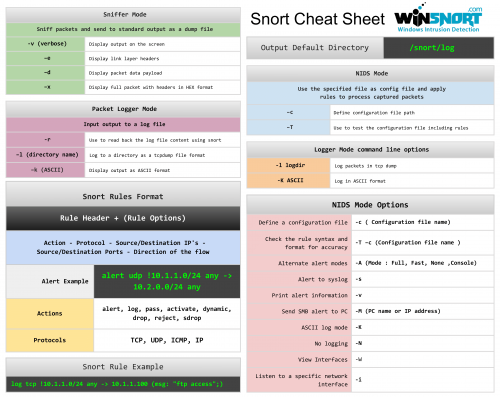
The Snort Cheat Sheet covers:
Sniffer mode, Packet logger mode, and NIDS mode operation Snort rules format Logger mode command line options NIDS mode options Alert and rule examples11 downloads
Updated
-
By Morpheus in Windows Security Tools
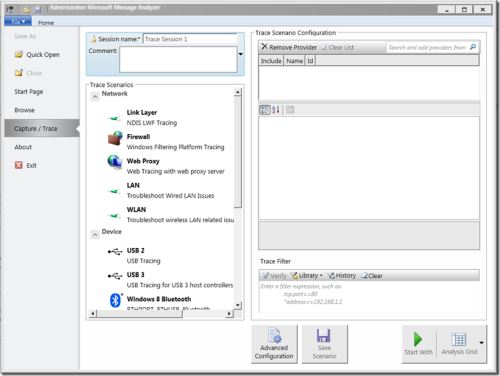
Microsoft's Message Analyzer is a tool for capturing, displaying, and analyzing protocol messaging traffic. It is the successor to NetMon 3.x and is a key component in the Protocol Engineering Framework (PEF) that was created by Microsoft for the improvement of protocol design, development, documentation, testing, and support. With Message Analyzer, you can capture live data or retrieve archived message collections from saved files such as traces and logs. Message Analyzer also enables you to display data in a default tree grid view and in selectable graphical views that employ grids, charts, and timeline visualizer components that provide high-level data summaries and other statistics.
Update: Microsoft Message Analyzer (MMA) has been retired as of November 25, 2019. There is currently no Microsoft replacement for Microsoft Message Analyzer in development at this time.
Note: I would say it’s a must have tool for Network administrator since there is so much you can do. There is a new TechNet blog dedicated for Microsoft Message Analyzer.
161 downloads
Updated
-
By Morpheus in Windows Security Tools
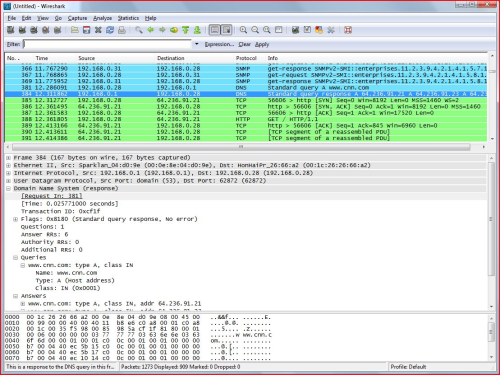
Wireshark is one of the popular free packet sniffing tools for Windows. This tool can give you an ability to see what’s happening on your network at a microscopic level. =
187 downloads
Updated
-
By Morpheus in Latest Windows Intrusion Detection Systems Core Software Packs
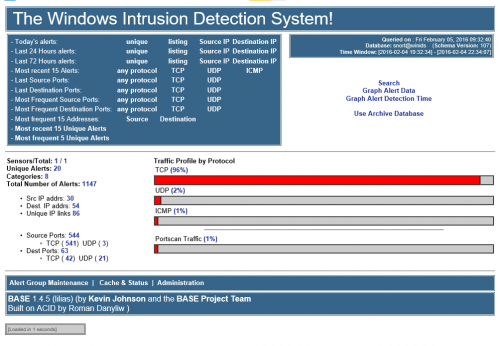
This is the latest Windows Intrusion Detection Systems (WinIDS) software for all the Windows Intrusion Detection Systems (WinIDS) companion add-ons.
Only use the Software supplied in the Windows Intrusion Detection Systems (WinIDS) Companion Software Pack. The versions of support files supplied may be old, and outdated. However, they are the last versions that has been fully tested with all the Windows Intrusion Detection Systems (WinIDS) guided installs.
The Windows Intrusion Detection System (WinIDS) Companion Software Development Pack has been password protected.
Wrapper Password: w1nsn03t.c0m
After you have downloaded the Windows Intrusion Detection System (WinIDS) Core Software Support Pack and before you attempt to install it, you should make sure that it is intact and has not been tampered with. Use the SHA-1 Checksums below to verify the integrity.
SHA-1 Hash value: 114F53B88F69BC71F217D22288554892E30675D5
What's New in Version 06.20.2022
Updates to companion software:
Added Visual Syslog 1.6.4.19 Added Event Watch 2.3.3 Kindest Regards,
Winsnort.com Management
1,236 downloads
Updated
-
By Morpheus in Windows Security Tools
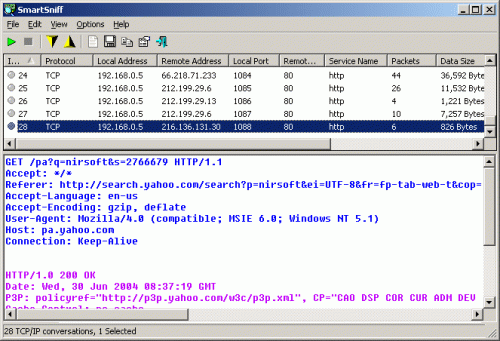
SmartSniff is yet another free packet sniffing tool that allows you to capture TCP/IP packets that pass through your network adapter, and view the captured data as sequence of conversations between clients and servers. With the help of this network monitoring utility, you can view the TCP/IP conversations in ASCII mode or as hex dump.
217 downloads
Updated