

About This File
==================================================
WinIDS v2.5 Deployment Framework - Remote Node Install Guide
Copyright © 2026 WinSnort.com | Michael Steele
==================================================
OPERATIONAL OVERVIEW
This toolkit provides the automated framework required for the deployment of a WinIDS Remote Node.
This architecture facilitates decentralized packet inspection with centralized database logging.
ARCHITECTURAL PREREQUISITES
* Active Instance : A functional Standalone WinIDS Sensor is required.
* Node Conversion : This process upgrades the Standalone Sensor instance to a
                    Master Management Server role.
-------------------------------------------------------------------------------
1. PHASE I: PRE-DEPLOYMENT SPECIFICATIONS
-------------------------------------------------------------------------------
* Archive Integrity : Extract all package contents to a dedicated directory.
* Archive Security  : w1nsn03t.c0m
-------------------------------------------------------------------------------
2. PHASE II: MASTER SERVER PROVISIONING
-------------------------------------------------------------------------------
The Master Management Server must be configured to authorize inbound database traffic before remote
Node initialization.
Before execution, define the operational environment within 'InitializeNode.ps1' script using a
standard text editor.
Configure the following critical variables:
$RemoteIP = "" # IP of the Remote Node (e.g., 0.0.0.0/32)
               # Don't forget the CIDR (/xx) at the end of the IP.
Ensure all changes are saved prior to executing.
1. Execute via an Administrative PowerShell session:
> powershell -ExecutionPolicy Bypass -File "InitializeNode.ps1"
TECHNICAL IMPACT: This script automates Windows Firewall scoping and handles any remote database
user permissions for the specified $RemoteIP.
-------------------------------------------------------------------------------
3. PHASE III: CONNECTIVITY & VALIDATION
-------------------------------------------------------------------------------
Verify communication between the Remote Node and the Master Management Server.
1. From the Remote Node execute the Host2Node with the Host Servers HostIP & HostPORT:
2. Execute via Administrative PowerShell:
> powershell -ExecutionPolicy Bypass -NoExit -File "Node2Host.ps1 HostIP HostPORT"
MANDATORY: Connection verification is a hard requirement. Do not proceed to Phase IV if the
handshake fails.
-------------------------------------------------------------------------------
4. PHASE IV: REMOTE SENSOR DEPLOYMENT
-------------------------------------------------------------------------------
Configure the Auto-Installer for the Remote Node.
1. From the Remote Node define the operational environment within the 'config.conf' file
using a standard text editor.
Configure the following critical variables:
$AllRules       = "No" # Use "Yes" for diagnostic/high-latency only
$TempDir        = ""   # Transient file directory (e.g., "D:\Temp")
$WinIDSRoot     = ""   # System installation path (e.g., "D:\WinIDS")
$Oinkcode       = ""   # Authorized 40-character Snort Oinkcode
$RemoteHostIP   = ""   # Master Management Server IP
$RemoteHostPort = ""   # Master Management Server Database Port
$SensorName     = ""   # Unique Identifier (e.g., "Sensor-Berlin")
Ensure all changes are saved prior to executing.
2. Right-click 'Installer.exe' and select "Run as Administrator."
LATENCY EXPECTATION:
Standard deployment completes in ~10 minutes, subject to resource availability and network throughput.
RECOVERY LOGIC:
If a package acquisition fails, manually download the specified asset to your $TempDir and re-initialize
the installer. The framework will auto-resume.
-------------------------------------------------------------------------------
5. PHASE V: POST-DEPLOYMENT MANAGEMENT
-------------------------------------------------------------------------------
Upon successful completion, the WinIDS Management Suite will be accessible via Start Menu > WinSnort.
Core utilities include:
* Rules Updater : PulledPork-driven rule-set synchronization.
-------------------------------------------------------------------------------
6. PHASE VI: POST-DEPLOYMENT VERIFICATION
-------------------------------------------------------------------------------
Management Server Validation:
1. Launch the WinIDS Console on the Master Management Server.
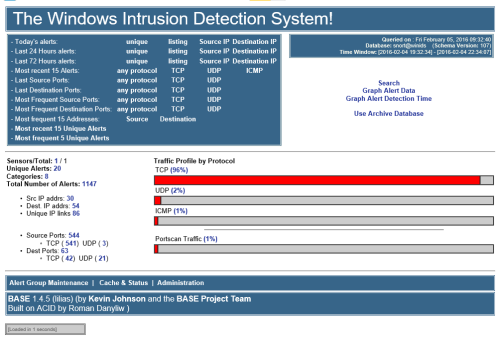
2. Monitor the "Sensors/Total" telemetry indicator.
3. A successful link displays "2/2" (or greater). Verify that "$SensorName" is actively reporting logs
to the centralized dashboard.
==================================================
TECHNICAL DOCUMENTATION & SUPPORT: https://winsnort.com
==================================================