

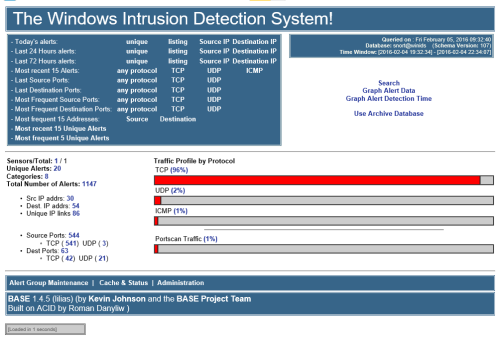
About This File
===============================================================================
WINIDS v2.4 - AUTOMATED INSTALLER (Apache2/MySQL BUILD)
===============================================================================
This package automates the deployment of a complete Windows Intrusion Detection System.
Designed for fresh installs of Windows 10/11 or Windows Server 2016-2024 (64-bit).
-------------------------------------------------------------------------------
1. PRE-INSTALLATION
-------------------------------------------------------------------------------
* Ensure you are working on a fresh OS installation.
* Extract this ZIP file into an empty folder.
* Open 'config.conf' and update the following four variables:
$AllRules: Set to "Yes" for testing/high-volume logging or "No" for standard security defaults.
$TempDir: Local path for downloaded support files (e.g., "D:\temp").
$WinIDSRoot: Local path for the final installation (e.g., "D:\winids").
$Oinkcode: Your unique 40-character Oinkcode.
-------------------------------------------------------------------------------
2. STEP 1: DOWNLOAD COMPONENTS
-------------------------------------------------------------------------------
Open a Command Prompt as ADMINISTRATOR and run:
powershell -NoProfile -ExecutionPolicy Bypass -NoExit -File Downloader.ps1
NOTE: If a download fails due to site security, manually download the specific
version mentioned in the error, place it in your $TempDir, and re-run the
script until all files are verified.
-------------------------------------------------------------------------------
3. STEP 2: INSTALL SYSTEM
-------------------------------------------------------------------------------
Once downloads are complete, run the following in the Admin Command Prompt:
powershell -NoProfile -ExecutionPolicy Bypass -NoExit -File Installer.ps1
The process takes ~10 minutes. The system will automatically reboot 30 seconds
after completion.
-------------------------------------------------------------------------------
4. POST-INSTALLATION
-------------------------------------------------------------------------------
After reboot, check the Start Menu for the "WinSnort" folder containing:
* WinIDS Console (Event Monitoring)
* Rules Updater (PulledPork Utility)
* Database Utility (MySQL Maintenance)
===============================================================================