
Jump to content

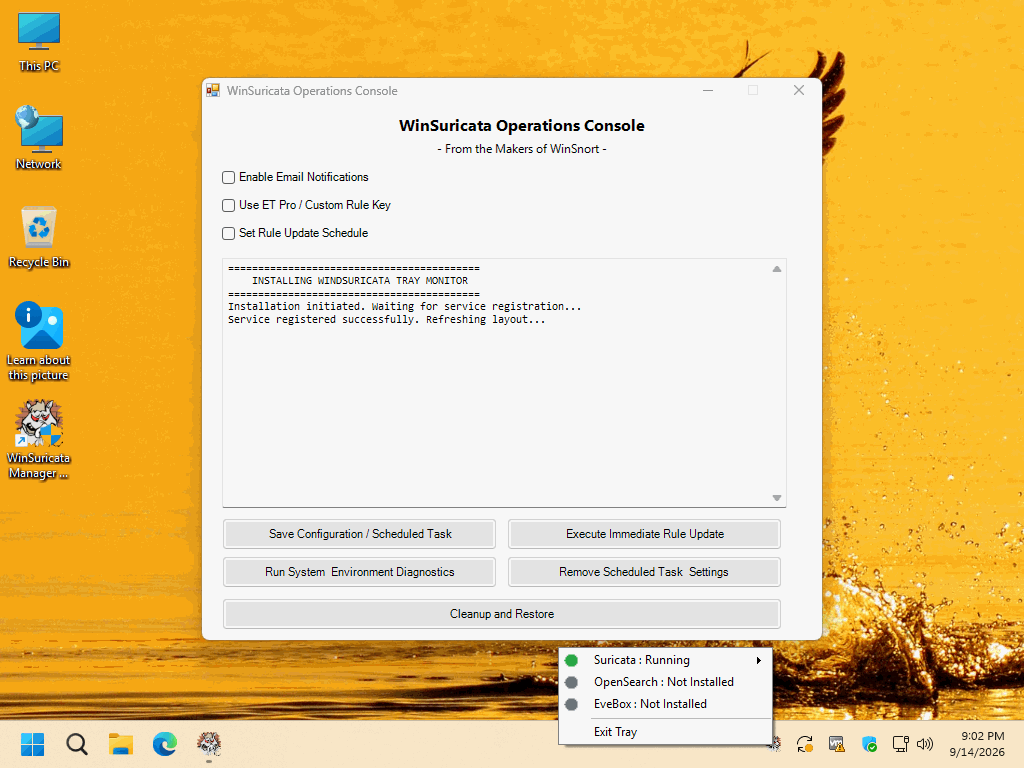
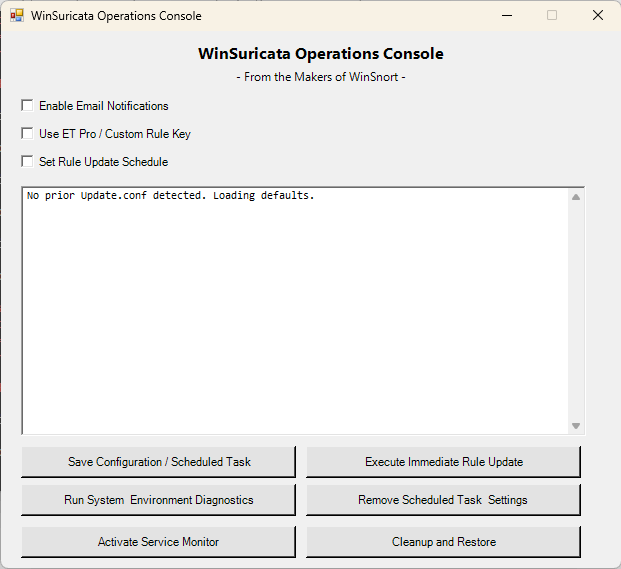
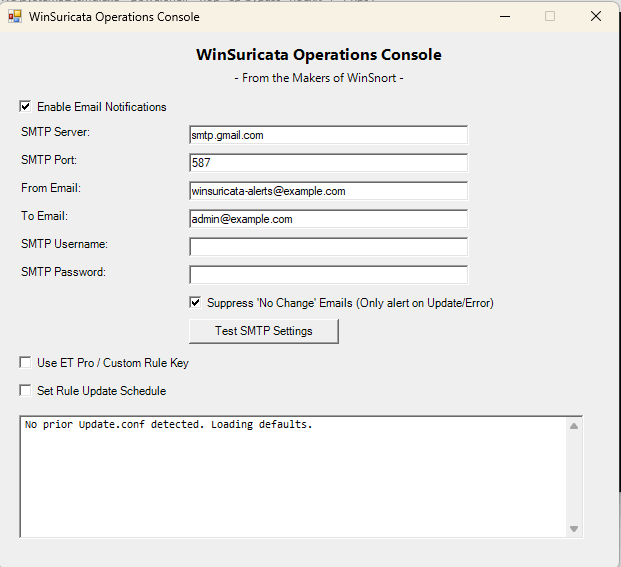
1 Screenshot

About This File

===============================================================================
                       WinIDS v3.0 Deployment Framework
              WinSuricata Sensor — Engine Edition (Headless / No Console)
                               Installation Guide
                Copyright © 2026 WinSnort.com | Michael Steele
===============================================================================

ABOUT THIS FILE
-------------------------------------------------------------------------------

This package contains an automated Windows Intrusion Detection and Security 
Monitoring deployment framework built around:

    • Suricata IDS/IPS Engine
    • Npcap Packet Capture Driver
    • Automated Suricata Rule Management
    • System Cleanup and Recovery Utilities

The framework automates installation, configuration, driver binding, and 
service integration for a high-performance, headless WinIDS sensor node.

===============================================================================
PHASE I: PRE-DEPLOYMENT SPECIFICATIONS
===============================================================================

TARGET ENVIRONMENT
    • Windows 10 / Windows 11 (64-bit) or Windows Server (2016–2025) (64-bit)
    • Local Administrator privileges required
    • Active Internet connection recommended (for dependency downloads)

DEPLOYMENT MODEL
    Standalone, high-performance Windows sensor running pure Suricata IDS/IPS.
    (Engine-only deployment with zero local web console footprint.)

PACKAGE SECURITY & INTEGRITY
    • Archive Password : w1nsn03t.c0m
    • SHA-1 Hash       : BD131B5CBFB6B82673D0278E96B1A38767041D54

ARCHIVE HANDLING
    • Extract the full ZIP archive before running setups. DO NOT run 
      installers directly from inside the ZIP file.
    • Preserve all directory structures contained within the archive.

IMPORTANT NOTICE
    This installation configures Windows services, packet capture drivers, firewall 
    rules, and optionally system restore points. Always verify configuration parameters 
    prior to execution.

===============================================================================
PHASE II: PACKAGE CONTENTS
===============================================================================

  Suricata-WinIDS-Installer.exe
      Primary WinIDS automated setup and deployment utility.

  Suricata-Cleanup-Restore.exe
      WinIDS cleanup, uninstall, and disaster recovery utility.

  Suricata-Rules-Updater.ps1
      Automated Suricata rule update, compilation, and service reload script.

  suricata.conf
      Core deployment configuration file containing target path variables.

  winids.ico
      Application icon file for desktop and Start Menu shortcuts.

===============================================================================
PHASE III: INSTALLATION PROCEDURE
===============================================================================

STEP 1: EXTRACT PACKAGE
    Extract the complete production ZIP archive to a dedicated folder.
    
    Example: D:\WinIDS-Install
    (Do not rename or remove files prior to setup.)

STEP 2: REVIEW CONFIGURATION
    Open 'suricata.conf' in Notepad and adjust the required path variables:
    
    $WinIDSRoot         = "D:\WinSuricata"  # Primary installation directory
    $TempDir            = "D:\Temp"        # Temporary download directory
    $EnableRestorePoint = 1                # Set to 0 to skip System Restore

STEP 3: RUN PRIMARY INSTALLER
    Right-click 'Suricata-WinIDS-Installer.exe' -> Select "Run as administrator"
    The framework will execute a bare-metal setup in under 4 minutes.

===============================================================================
PHASE IV: ARCHITECTURE OVERVIEW & RESILIENCY
===============================================================================

AUTOMATED PIPELINE
    • PACKET CAPTURE    : Validates and deploys Npcap drivers required for 
      Windows network interface binding and promiscuous packet sniffing.
    • CORE ENGINE       : Streams and extracts the latest stable 64-bit 
      Windows release of Suricata binaries.
    • RULE MANAGEMENT   : Initializes automated rule-set downloading and 
      compilation (Emerging Threats or custom rules) out of the box.
    • SERVICE REGISTRY  : Registers Suricata as a native Windows Service via 
      NSSM with automatic recovery flags.

COMPONENT STACK
    • Suricata: Network IDS engine handling packet inspection and alert generation.
    • Npcap   : Packet capture library allowing Suricata to sniff traffic on Windows interfaces.
    • EVE JSON: Structured event data output generated by Suricata for downstream parsing.
    • Python  : Automation engine for managing setup scripts, rule updates, and log processing.
    • NSSM    : Service wrapper that runs Suricata background services on Windows.
    • Git     : Version control utility used for pulling rule updates and framework code.

RULE UPDATES
    Run 'Suricata-Rules-Updater.ps1' regularly to sync threat signatures.
    The script backs up existing rules, syncs updates, verifies syntax, and reloads 
    the Suricata service automatically.

RECOVERY & SYSTEM RESTORE
    • RESUME CAPABILITY: If a download fails mid-stream, place the asset manually 
      into $TempDir and re-run. The framework detects cached files and resumes instantly.
    • SYSTEM RESTORE   : Creates a clean pre-installation restore point on Workstations 
      (automatically bypassed on Windows Server OS).

===============================================================================
PHASE V: POST-DEPLOYMENT MANAGEMENT & ACCESS
===============================================================================

SYSTEM RESTORE
    • Access via the Start Menu shortcut: 'System Restore'.
    • Performs a bare-metal restore for Workstations only (Server OS unsupported).

RULE MAINTENANCE
    • Access via the Start Menu shortcut: 'WinIDS Rule Updater'.
    • Synchronizes threat signatures while preserving baseline rules for fast rollbacks.

SYSTEM REBOOT
    • Recommended (optional). Refreshes environment PATH variables and verifies 
      Windows Service auto-start states.

===============================================================================
PHASE VI: TROUBLESHOOTING
===============================================================================

1. DEPENDENCY DOWNLOAD FAILS
   - Review installer console output and log files.
   - Verify Internet connectivity and check write access on $TempDir.
   - Re-run installer (valid cached downloads will be reused).

2. SURICATA SERVICE FAILS TO START
   - Confirm driver initialization by verifying Npcap binding state.
   - Run `suricata.exe -c suricata.yaml -T` from command prompt to test syntax.
   - Check Windows Event Viewer under Application logs for crash events.

3. NO NETWORK TRAFFIC DETECTED
   - Verify interface GUID or index numbers inside the deployed `suricata.yaml`.
   - Ensure the correct network interface is selected for sniffing mode.

===============================================================================
FINAL DEPLOYMENT CHECKLIST
===============================================================================
[ ] SHA-1 hash verified before extraction (248716580D7C9CE9583D665059932316B35C859A)
[ ] Archive extracted to a local directory using password
[ ] 'suricata.conf' updated with correct installation paths
[ ] Primary installer executed with Administrator privileges
[ ] Packet capture driver (Npcap) verified
[ ] Suricata engine running as a registered Windows Service
[ ] Rules compiled and initialized (Emerging Threats or custom)
[ ] Desktop and Start Menu shortcuts generated
[ ] System reboot performed (recommended)

===============================================================================
TECHNICAL DOCUMENTATION & SUPPORT
===============================================================================
WinSnort.com
Website: https://winsnort.com
Maintainer: Michael Steele
===============================================================================

×
×
  • Create New...

Important Information

We have placed cookies on your device to help make this website better. You can adjust your cookie settings, otherwise we'll assume you're okay to continue.